
General Information
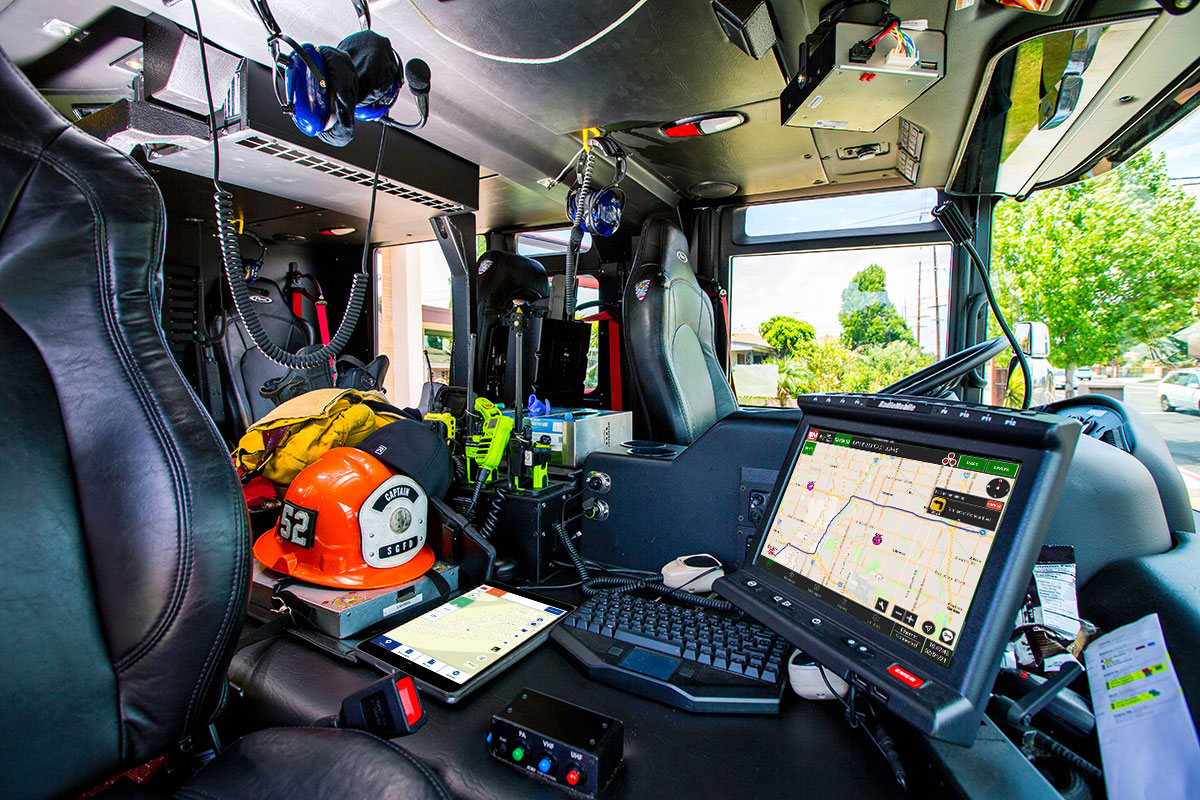
RMI’s IQ Mobile software application provides Fire and EMS agencies of all sizes with real-time incident dispatching, mapping and navigation, vehicle locations and status updates, and mobile messaging. IQ Mobile software runs on both Windows and iOS making it easy for responders to switch between devices without the need to learn two different systems.
Key Benefits
- Shorter response times – Reduce response times with instantaneous alerts from the dispatch center, routing and navigation to the incident.
- Resource tracking – Keep track of resources and their real-time status regardless of location or connectivity due to automatic switching between multiple networks.
- Shared situational awareness – Keep everyone involved in the incident on the same page with access to the same data, everyone’s location and instant messaging.
- Greater preparedness – Access all of the critical data (maps and custom layers, pre-plans, CAD details) in one place so you can arrive at the incident fully prepared.

How to Choose the Best Mobile Response Software for Your Fire & EMS Agency
Two Great Options to Choose From
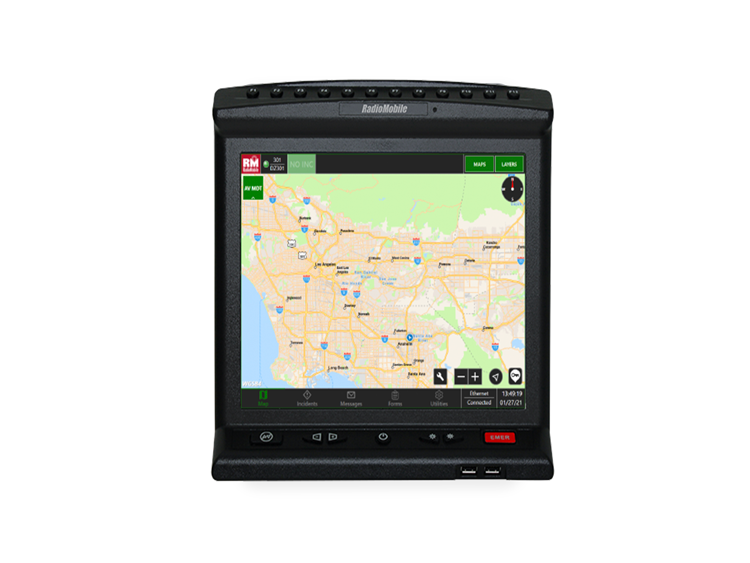
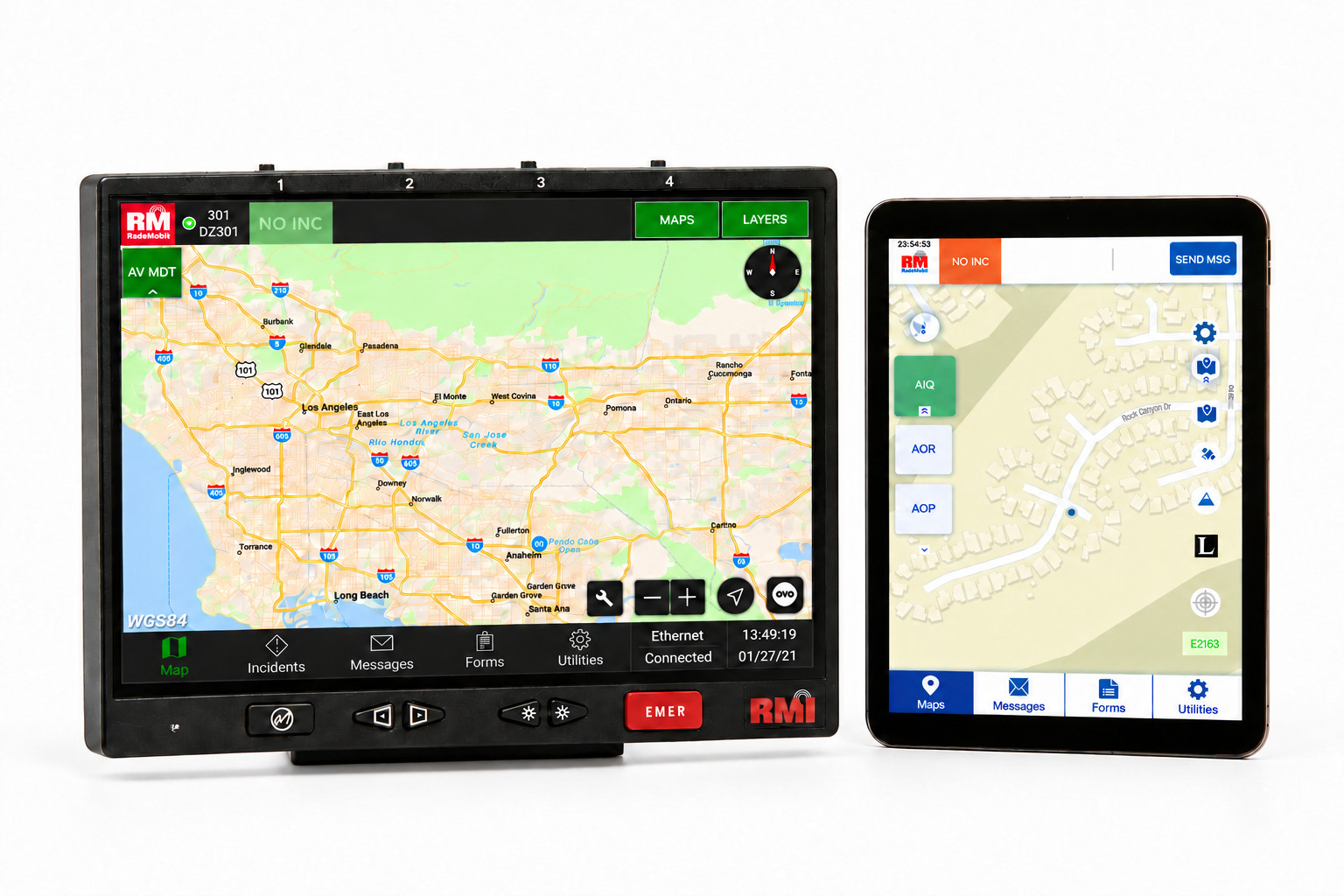
IQ Mobile for Mobile Data Computers (Windows)
IQ Mobile Software integrates seamlessly with RadioMobile’s ruggedized, in-vehicle mobile data computers (MDC), so supervisors and responders know the exact location and status of emergency apparatus and personnel at all times. The IQ Mobile application can be deployed on 3rd party MDCs.
Features
- 2-way communication with CAD
- Text-to-voice navigation
- Real-time status updates
- Automatic vehicle location
- Custom map layers
- Pre-plan display
- Instantaneous mobile messaging
- Security/Encryption
- Multi-network connectivity management
- Locally stored data
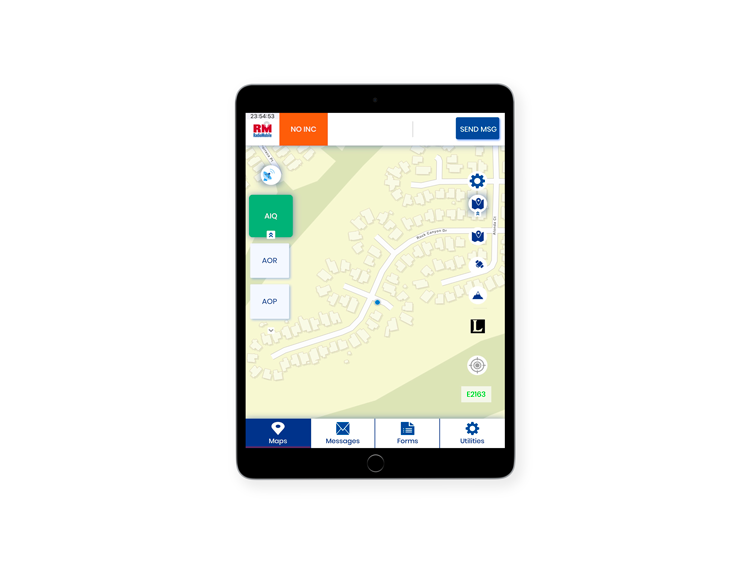
IQ Mobile for iPad tablets (iOS)
RadioMobile’s IQ Mobile Tablet software provides mobile fleets with real-time mobile messaging and status updates while interfacing with applications such as CAD, mapping, AVL, and others via an iPad tablet application. IQ Mobile Tablet is configured to meet operational needs and is scalable to a variety of agency types and sizes.
Features
- Available in Apple Business Manager via B2B Appstore
- Two-way communication with CAD
- Text-to-voice navigation
- Real-time incident updates
- Automatic Vehicle Location
- Selectable mapping layers
- Pre-plan display
- Instantaneous mobile messaging
- Security/Encryption
Over-the-Air Updates
IQ OTA delivers IQ Mobile Software and data file updates “over-the-air” via multiple IP networks simultaneously without removing vehicles from service.
Frequently Asked Questions
IQ Mobile Software
-
What mobile devices does IQ Mobile Software support?
IQ Mobile is designed to work with the devices your department chooses—rugged MDCs, tablets, or a hybrid configuration across your fleet. This flexibility allows you to modernize at your own pace, align with procurement realities, and support mixed hardware environments without sacrificing functionality. RadioMobile will configure IQ Mobile to match your operational needs, including Schedule A requirements, ensuring every apparatus and crew member has reliable access to mission‑critical data.
-
Will IQ Mobile integrate with your CAD and AVL systems?
Yes. IQ Mobile is engineered for seamless connectivity to your CAD and AVL systems, providing uninterrupted access to incident details, mapping, routing, and unit status information. This integration ensures firefighters receive accurate, real‑time data whether they’re responding from a station, en route, or operating in remote terrain. For fire chiefs, this means improved command visibility, fewer communication gaps, and more confident decision‑making during dynamic incidents.
-
How does IQ Mobile improve situational awareness for fire chiefs?
IQ Mobile synchronizes live incident data, unit statuses, and AVL location intelligence across the entire IQ platform, giving fire chiefs a unified operational picture. This real‑time visibility helps you track resource movement, anticipate needs, and maintain strategic oversight during multi‑unit or multi‑operational period incidents. The system reduces blind spots, enhances coordination, and supports more informed tactical and administrative decisions.
-
Can IQ Mobile support mixed fleets with different hardware?
Absolutely. IQ Mobile maintains consistent workflows across MDCs, tablets, and other supported devices, allowing your department to deploy the right hardware for each apparatus type. Engines may run rugged MDCs while support vehicles use tablets—yet all crews experience the same interface, features, and data access. This reduces training complexity, supports phased modernization, and ensures operational continuity across your fleet.
-
Does IQ Mobile require major changes to our current workflows?
No. IQ Mobile is built to align with your existing operational patterns, minimizing disruption while enhancing mobile data access. The interface mirrors familiar workflows, reducing the learning curve for crews and command staff. Fire chiefs benefit from improved data accuracy and reduced radio traffic without needing to overhaul established procedures. The transition is structured to be smooth, predictable, and supportive of your department’s culture.
IQ Mobile Software
-
How does IQ Mobile stay updated across the fleet?
IQ Mobile leverages IQ OTA to deliver software and data updates over the air, eliminating the need to pull apparatus out of service for manual updates. This ensures your fleet remains current with the latest features, security enhancements, and performance improvements. For fire chiefs, this means reduced maintenance overhead, fewer logistical challenges, and a more consistent operational environment across all vehicles and devices.
-
What does deployment look like for a department transitioning to IQ Mobile?
RadioMobile manages configuration, installation, and training from start to finish, tailoring the deployment to your hardware choices and Schedule A requirements. The rollout is designed to minimize downtime and ensure crews are comfortable with the new tools before they go live. Fire chiefs receive support in planning, onboarding, and long‑term optimization, ensuring the transition strengthens operational capability rather than disrupting it.
-
How does IQ Mobile support fire chief responsibilities?
IQ Mobile enhances command oversight by providing accurate, real‑time visibility into apparatus movement, crew status, and operational readiness. Fire chiefs can monitor resource allocation, track response patterns, and identify gaps or inefficiencies across the fleet. Combined with the broader IQ ecosystem, chiefs gain simplified device management, improved data consistency, and tools that support both tactical decision‑making and administrative planning.
-
Can IQ Mobile help reduce radio traffic?
Yes. IQ Mobile delivers real‑time CAD updates, incident details, routing, and status changes directly to the device, reducing the need for routine radio transmissions. Crews can update their status with a single tap, and command staff can monitor progress without requesting repeated verbal updates. This helps keep radio channels clear for critical communications, improves operational efficiency, and reduces the risk of missed or misunderstood transmissions.
-
How reliable is IQ Mobile in remote or high‑demand environments?
IQ Mobile is optimized for mission‑critical conditions, including rural, mountainous, and high‑call‑volume environments. The software manages data efficiently to maintain performance even when connectivity is limited or intermittent. For fire chiefs, this reliability ensures crews receive essential information when they need it most—during initial attack, extended operations, or large‑scale incidents where communication resilience is essential.