
Faster Alerts. Smarter Response.
In fire emergencies, every second counts, and fire departments need to be alerted the moment an incident is reported for the quickest response. Shortening the emergency response cycle requires a dispatch and alerting system that is reliable, intuitive, and easy to maintain.
RMI’s Fire Station Alerting (RMI FSA) sets the standard for speed, accuracy, and accountability when you need it most. It can be customized to meet your department’s needs, helping ensure safety and streamline communication.
Key Benefits
-
- Speed — RMI FSA helps departments meet critical response requirements by shaving valuable seconds off response times in accordance with local policies and NFPA.
- Accuracy — RMI FSA makes certain that everyone responding to a dispatch has the exact details of the incident regardless of their location.
- Accountability — RMI FSA seamlessly integrates with RMI’s in-vehicle mobile data computers (MDCs), so supervisors and responders know the exact location and status of emergency apparatus and personnel at all times.
- Flexibility — RMI FSA is an end-user programmable system with customizable alerting. Lights and tones or voice messages can identify each apparatus required for the call. Tones, voice messages, and colored lighting are used to identify only the exact emergency apparatus and personnel who need to respond.
- Interoperability — RMI FSA interfaces with multiple CAD systems, CAD vendors and dispatch centers allowing you to alert other agency stations and vice versa. RMI FSA optimizes connectivity over multiple networks and types including IP, LTE, LMR and satellite.
A Complete Feature Set for Modern Fire Stations
Explore how RMI FSA supports your dispatch operations, communication reliability, and station workflows.
From Dispatch to Your Station
Receive and process dispatch information quickly and reliably, with seamless CAD integration and automated station alerting.

Fast, Automated Dispatch
Multi-Station Alerting
Automated Voice Announcements
CAD Integration
Dispatch Backup
Alert Confirmation & Logging
Built for Continuous Station Alerting
Multiple communication paths, independent backup systems, and continuous monitoring help ensure your station stays connected when it matters most.
Redundant Communication Links
Independent Backup Alerting
Automatic System Monitoring
24-Hour UPS Backup
Event History
Turn Dispatch Information Into Action
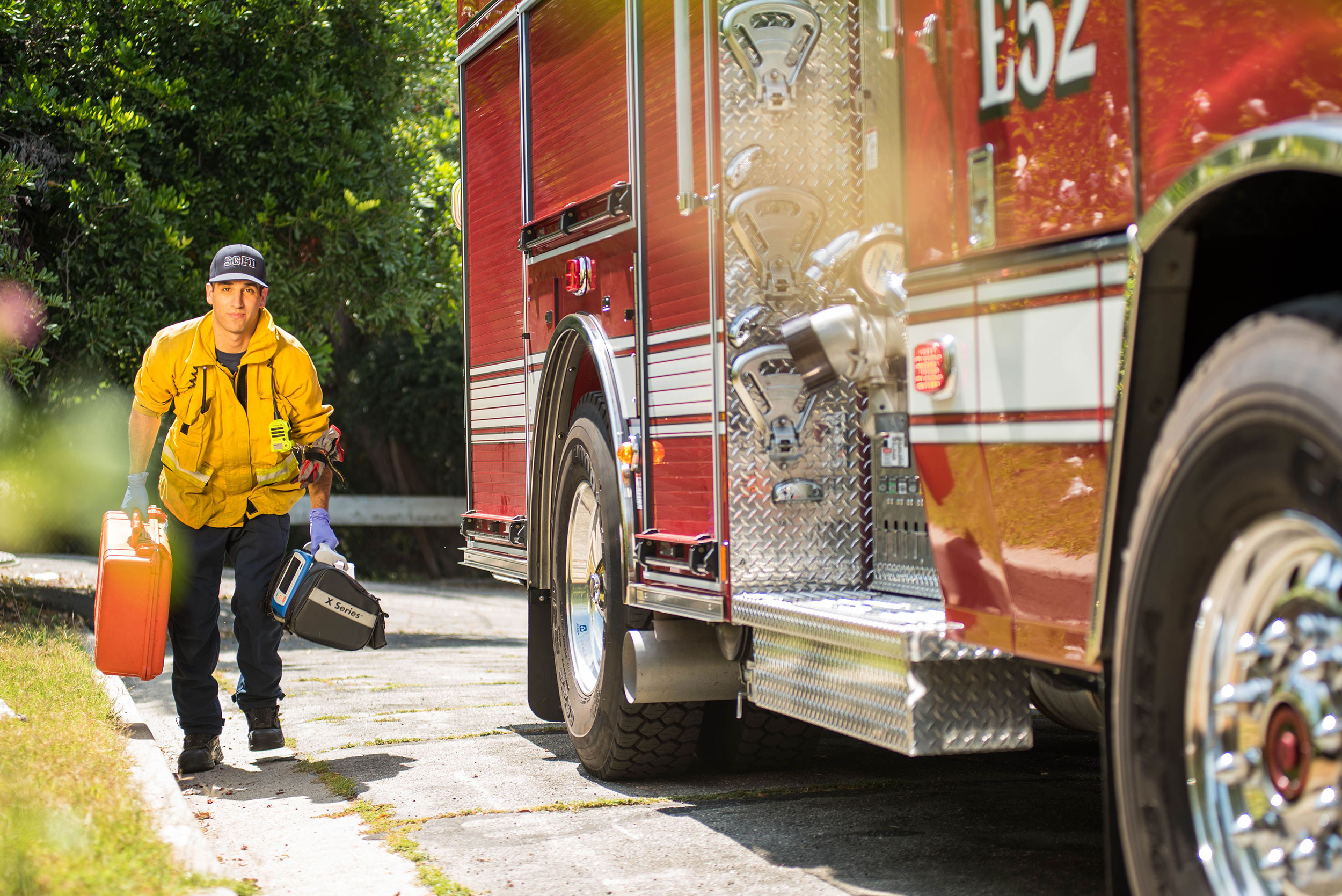
Deliver clear, timely alerts throughout your station with configurable sequences, visual and audio notifications, and seamless integration with station equipment.
Configurable Alert Sequences
Clear Incident Information
Integrated Station Equipment
Turnout Time Tracking
Alert the Right Crews in the Right Places
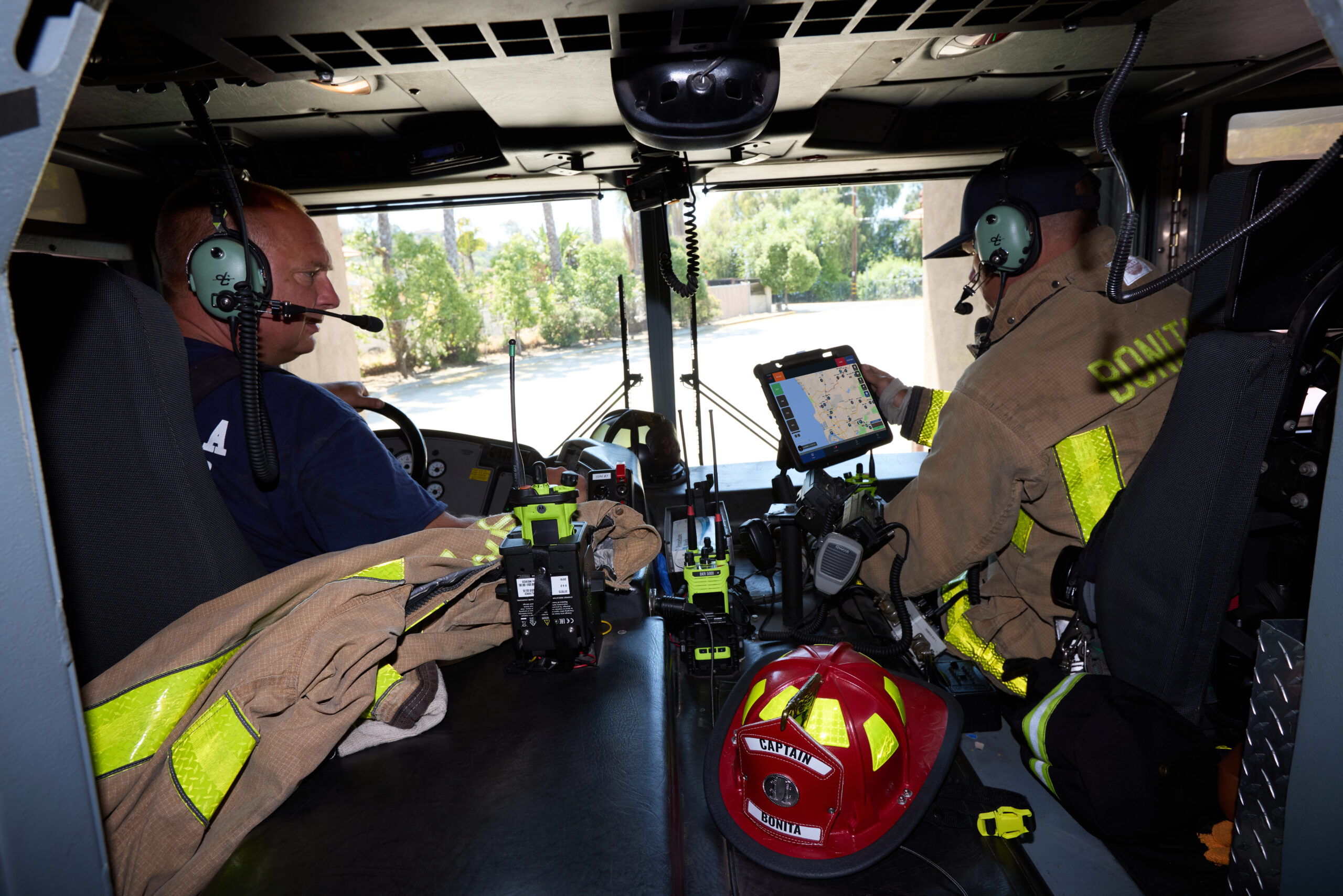
Zone control directs alerts, lighting, and audio to the specific crews and spaces needed for each call—reducing confusion and improving response times.
Zone Control
Heart-Saver Alert Tone
Crew Identification
Crew Room Control
From Dispatch to Your Station
Receive and process dispatch information quickly and reliably, with seamless CAD integration and automated station alerting.
Fast, Automated Dispatch
Multi-Station Alerting
Automated Voice Announcements
CAD Integration
Dispatch Backup
Alert Confirmation & Logging
Built for Continuous Station Alerting
Multiple communication paths, independent backup systems, and continuous monitoring help ensure your station stays connected when it matters most.
Redundant Communication Links
Independent Backup Alerting
Automatic System Monitoring
24-Hour UPS Backup
Event History
Turn Dispatch Information Into Action
Deliver clear, timely alerts throughout your station with configurable sequences, visual and audio notifications, and seamless integration with station equipment.
Configurable Alert Sequences
Clear Incident Information
Integrated Station Equipment
Turnout Time Tracking
Alert the Right Crews in the Right Places
Zone control directs alerts, lighting, and audio to the specific crews and spaces needed for each call—reducing confusion and improving response times.
Zone Control
Heart-Saver Alert Tone
Crew Identification
Crew Room Control
What Fire Agencies Say About RMI FSA
TRUSTED BY FIRE & PUBLIC SAFETY AGENCIES
Fire Chief, Pleasant Hill Goshen Fire Department
“Every second we save getting out the door matters… With IQ FSAS, our crews wake to calmer, clearer alerts while our station activates instantly.”
Andrew Smith
Fire Chief, Pleasant Hill Goshen Fire Department
Fire Chief, Kern County Fire Department (CA)
“RadioMobile’s IQ FSAS saved us time and thousands of dollars by utilizing our current CAD system interface and in-station devices.”
David Witt
Fire Chief, Kern County Fire Department (CA)
Core Components of our Fire Station Alerting Solutions
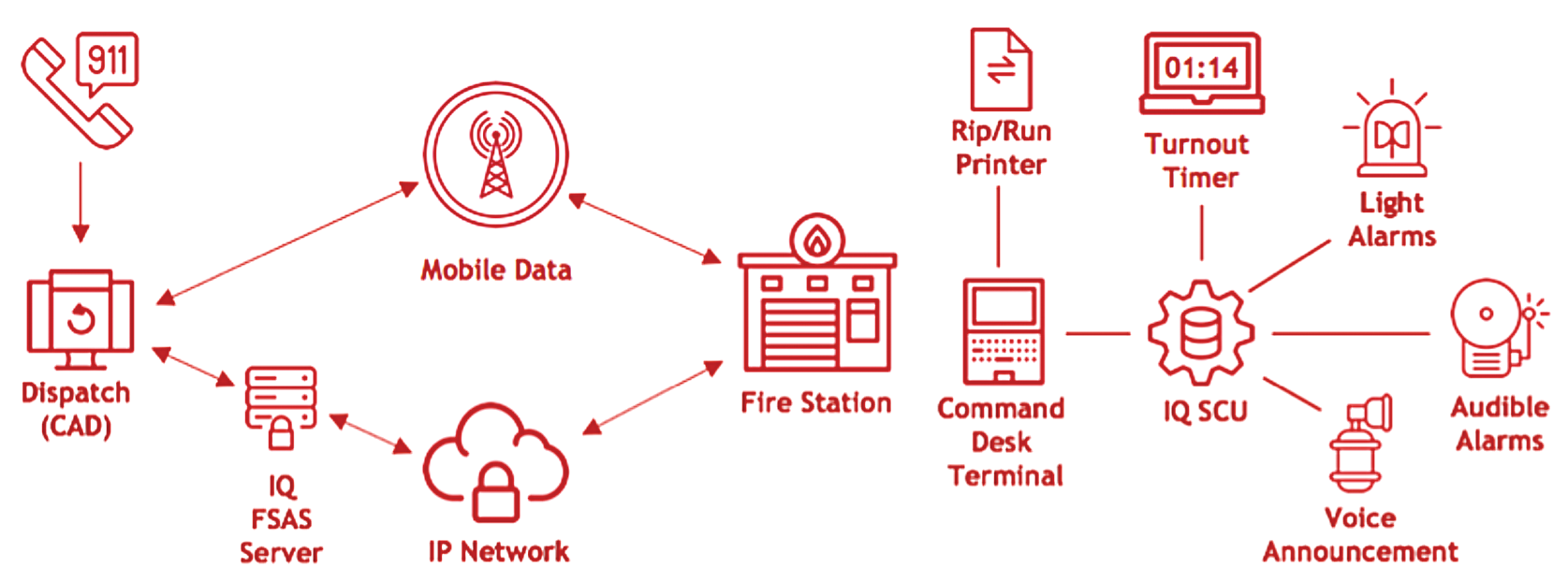
The RMI FSA high-level system diagram below demonstrates a basic system configuration consisting of the dispatch center (911/CAD), the communication networks, one or more fire stations, and the RMI Station Control unit (SCU) and the corresponding peripherals.
RMI FSA Basic System Configuration
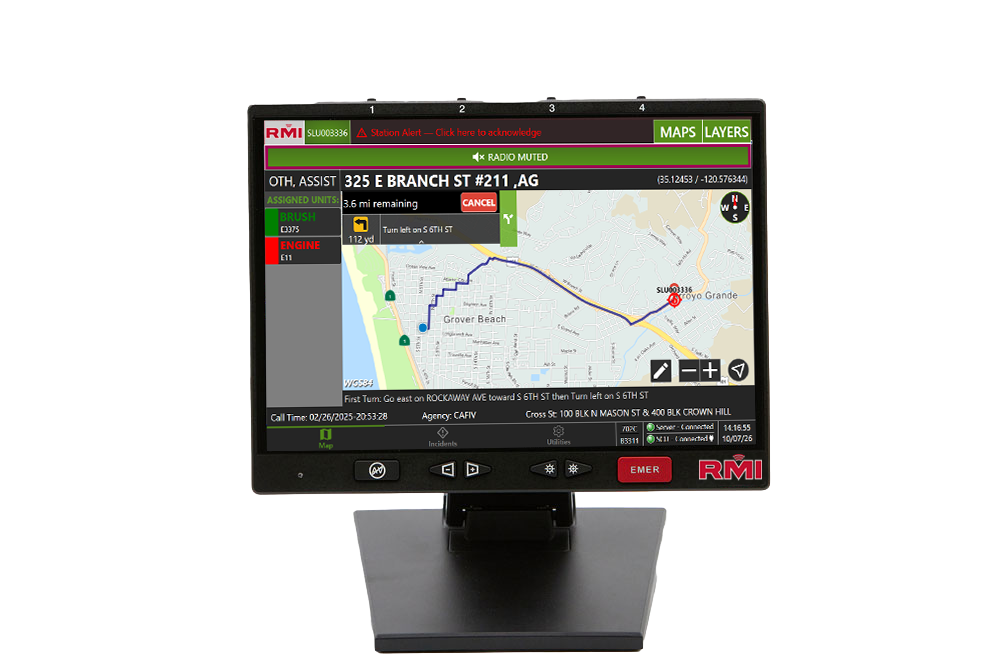
Command Desk Terminal (CDT)
A Windows-based computer that runs the application to execute user-defined sequences for each incident type or message.
Learn More
Command Desk Terminal (CDT)
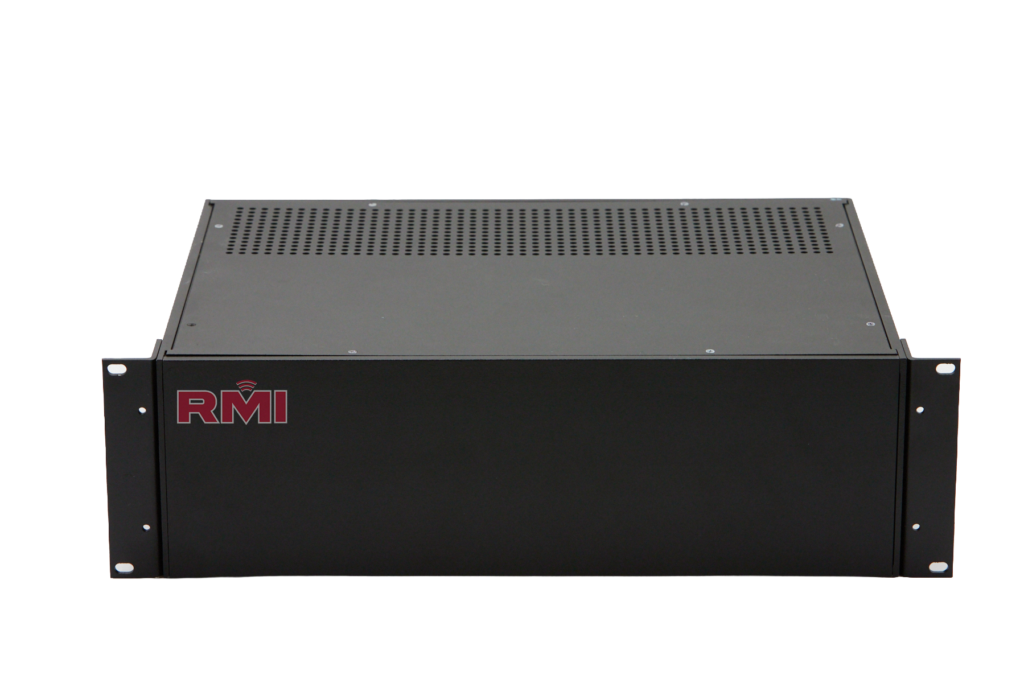
Station Control Unit (SCU)
The RMI Station Control unit (SCU) is the core of the RMI FSA. The SCU utilizes IP-based or LMR-based digital communications, I/O for external control, PA for driving speakers, and a Command Desk terminal for user interface.
Learn More
Station Control Unit (SCU)
Command Desk Terminal (CDT)
Command Desk Terminal (CDT)
A Windows-based computer that runs the application to execute user-defined sequences for each incident type or message.
Learn More
Station Control Unit (SCU)
Station Control Unit (SCU)
The IQ Station Control unit (SCU) is the core of the IQ FSAS. The SCU utilizes IP-based or LMR-based digital communications, I/O for external control, PA for driving speakers, and a Command Desk terminal for user interface.
Learn More
Optional Components for Your Stations
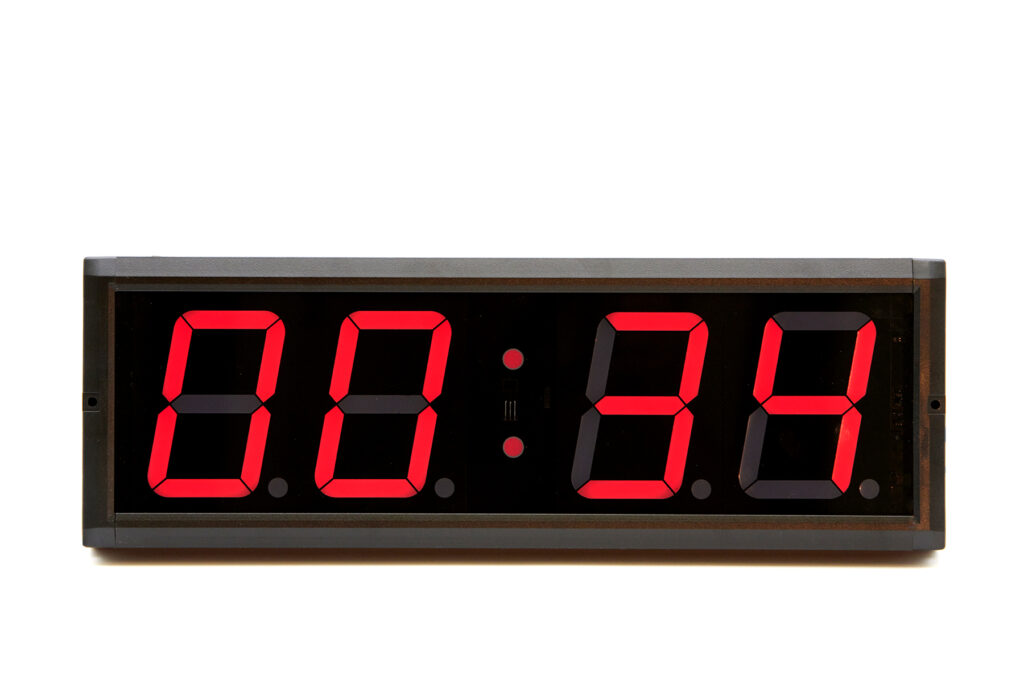 Turnout Timer
A digital, count-up timer that is started when dispatch or incident is received. It can be set to stop at any point during a normal incident sequence condition based on requirements.
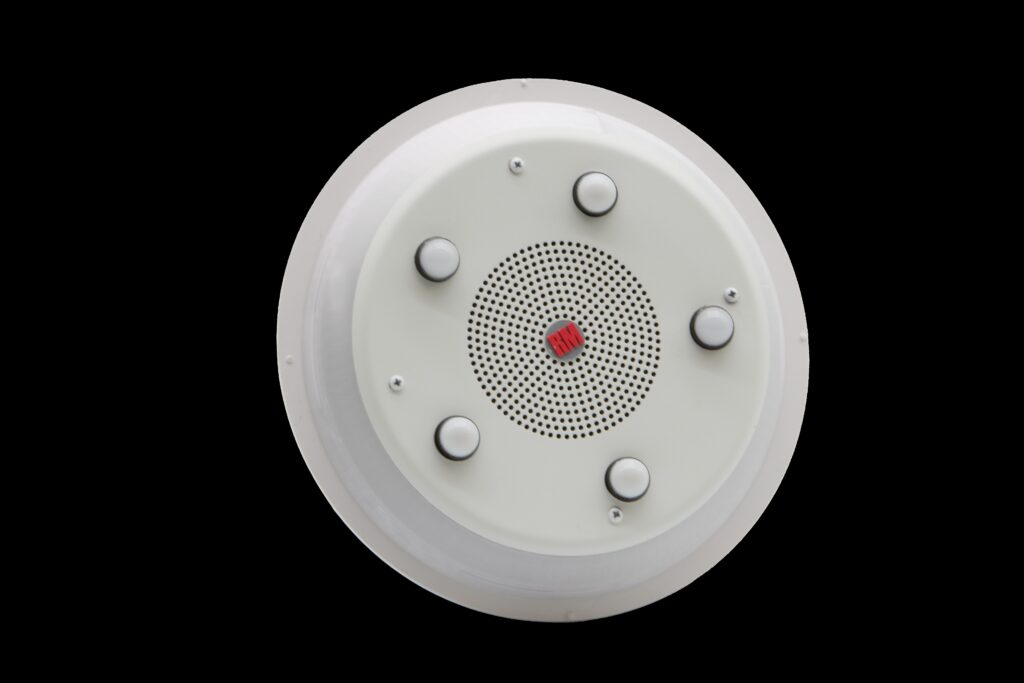 Crew Alert Module
A light fixture that contains a speaker, bright LED illumination and colored LEDs that indicate the required crew for response. A selector placed like a wall switch at the room door allows personnel to select the type of crew occupying that room, so they are only alerted when dispatched. Features include:
- Response unit identifiers (colored LEDs)
- Night vision preserving red lighting
- Quality audio speaker
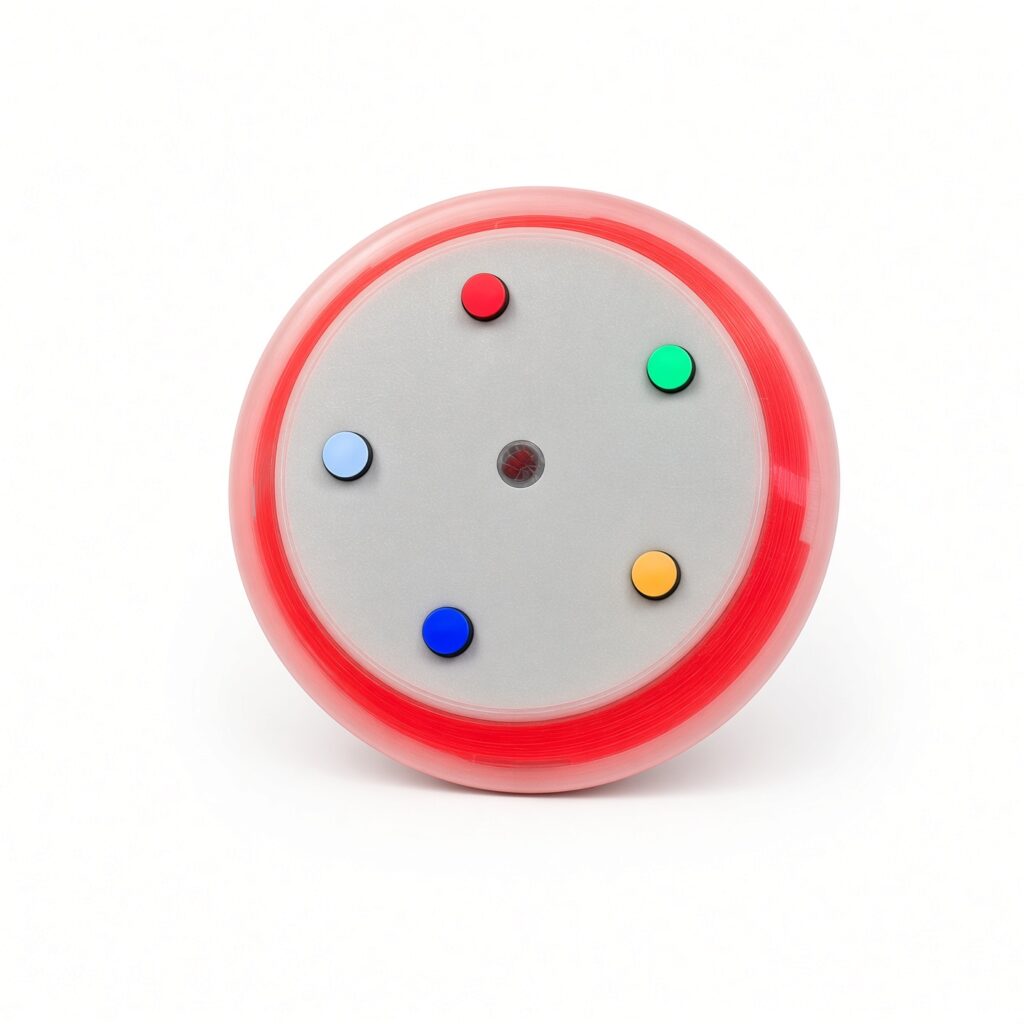 Crew Alert Light
A light fixture that contains a bright LED illumination and colored LEDs that indicate the required crew for response.
Features include:
- Response unit identifiers (colored LEDs)
- Night vision preserving red lighting
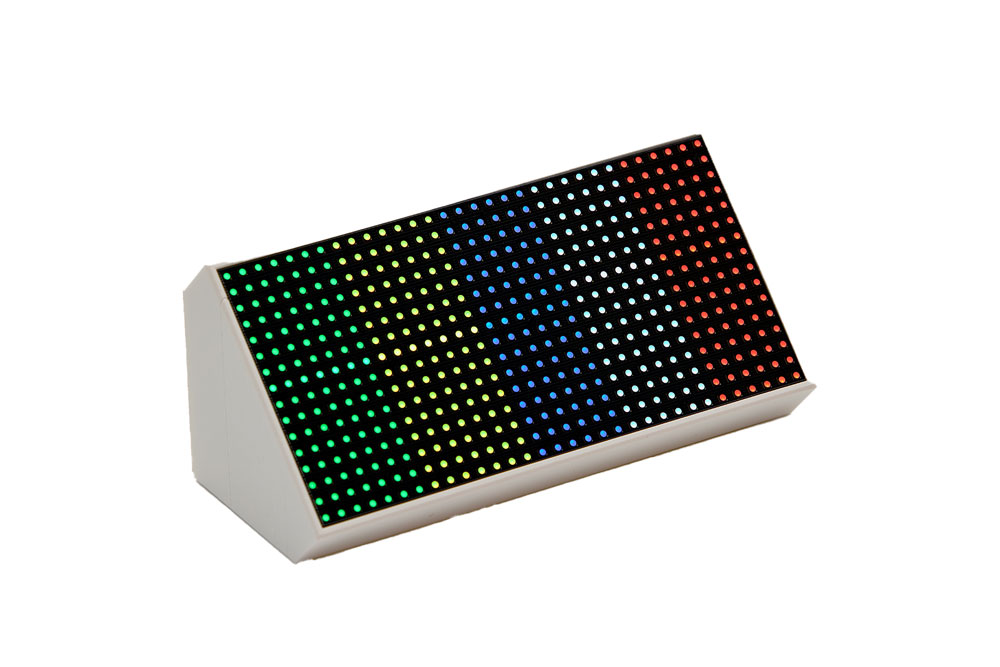 Crew Alert Panel
 Crew Alert Bar
A high-visibility visual alert fixture that provides immediate notification of an incoming dispatch. Designed for quick, at-a-glance recognition, the Crew Alert Bar uses color-coded LED indicators and a high-intensity strobe to identify the response unit required for the call.
Features include:
- Response unit identifiers (colored LEDs) coinciding with CAM indicators
- High-intensity strobe light
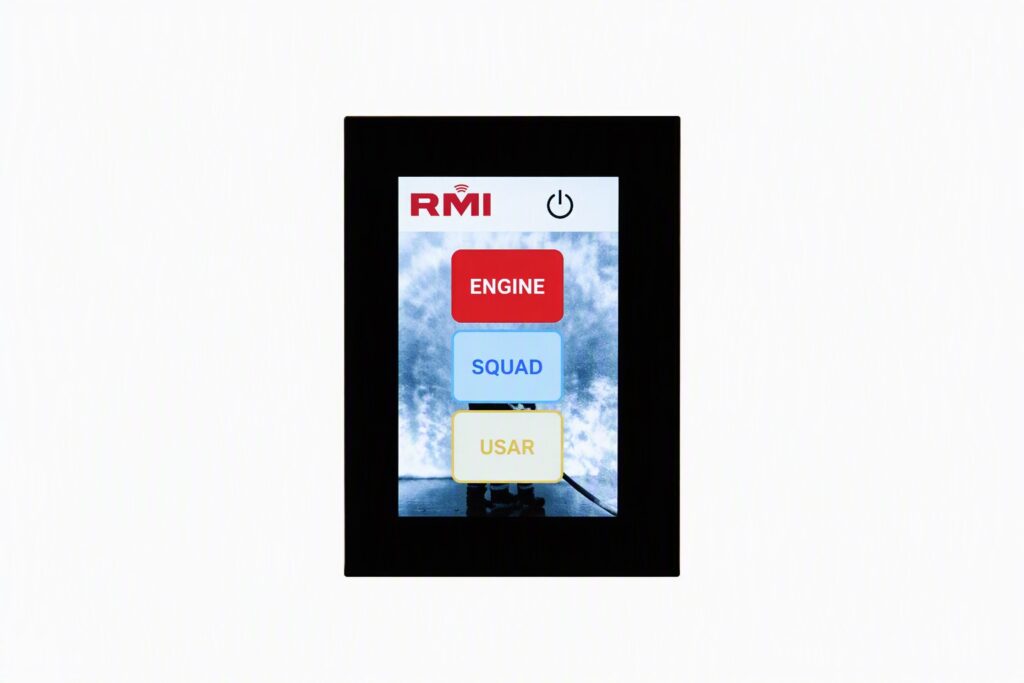 Zone Selector Panel
Volume Control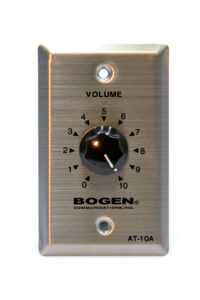
Volume Control (VC) rotary switch that adjusts volume for a specific speaker. Allows for configuration to be set for lowest volume or off. Works with CAM and CAS.
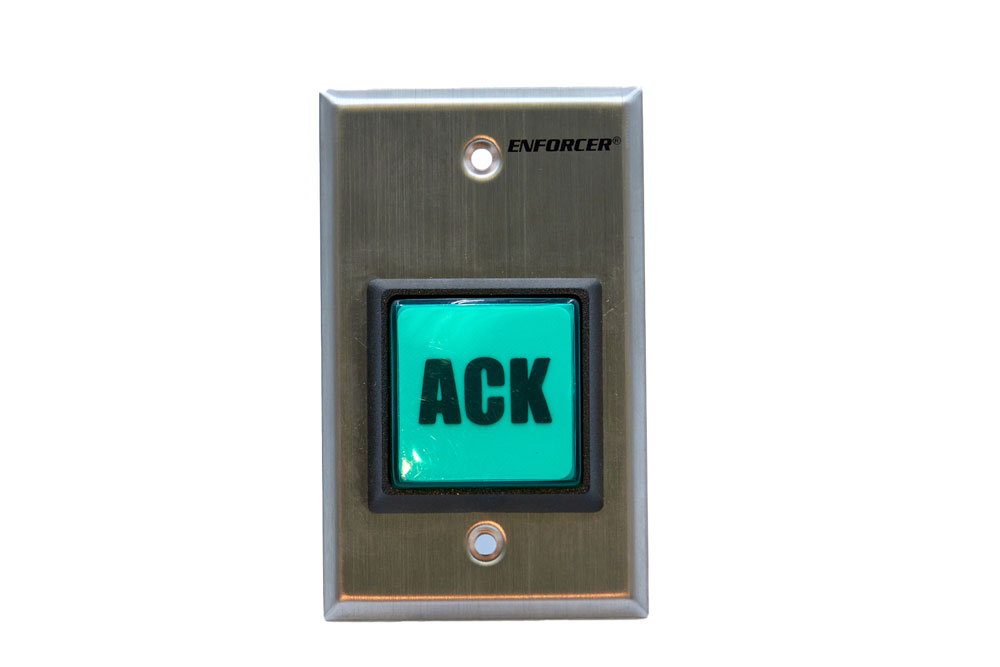 Acknowledgment Button
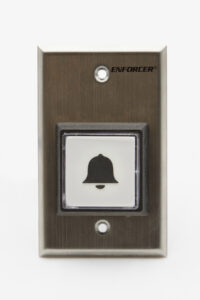
Door Bell
Simple button interfaced to SCU to activate doorbell from exterior location(s).
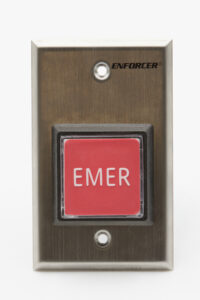 Emergency Button
Simple button interfaced to SCU to activate emergency alert within the station.
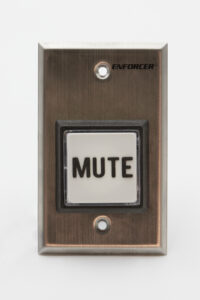
Radio Mute Button
Simple button interfaced to SCU to mute the radio audio in the SCU. (Alert configuration overrides this function.)
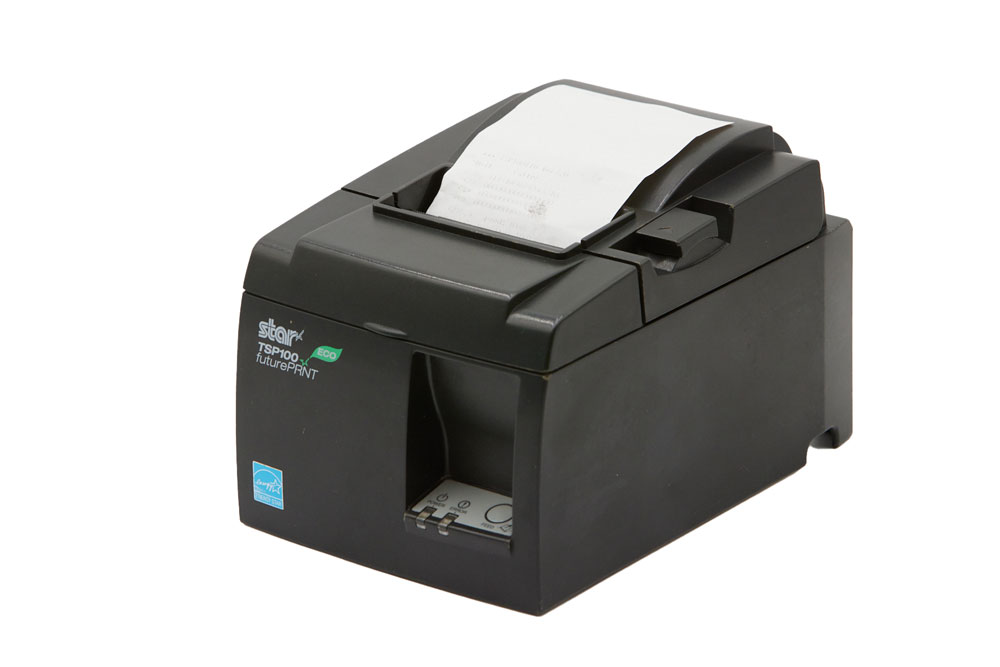 Rip-N-Run Printer
A printer with 4” paper that immediately prints out the dispatch information in less than a second. The printer guarantees that responders have the exact detail of the incident available to them as they are heading out the door.
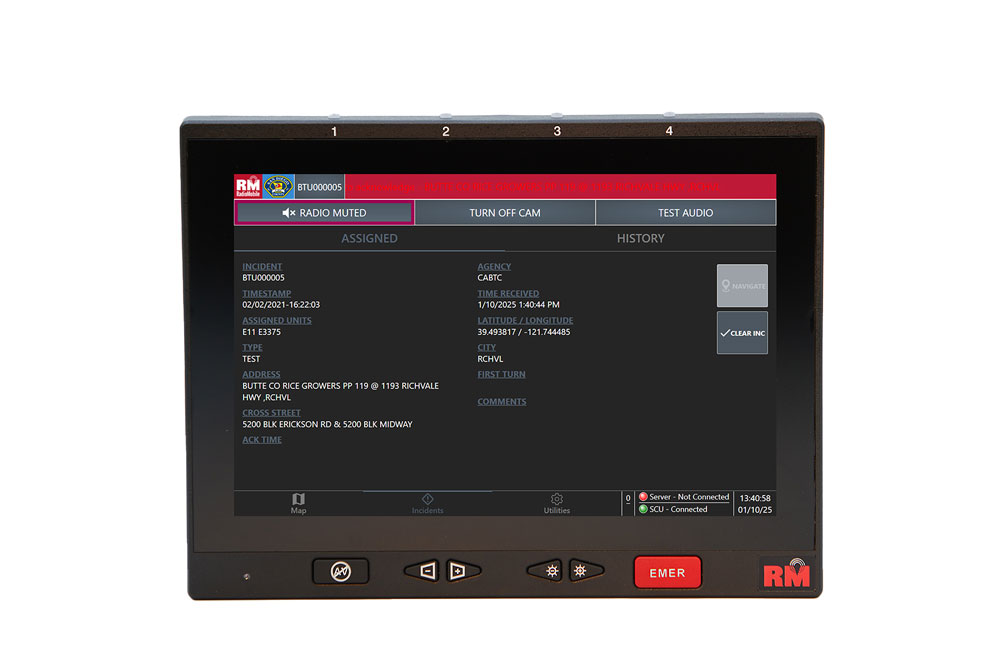 Remote Displays
Remote displays may be added to the RMI FSA to display incoming dispatch messages in a variety of locations. Features include:
- 12-inch high-bright display with dimming capability
- Touchscreen functionality
- 12-volt DC or wall-mounted A/C adapters
- Ethernet interface
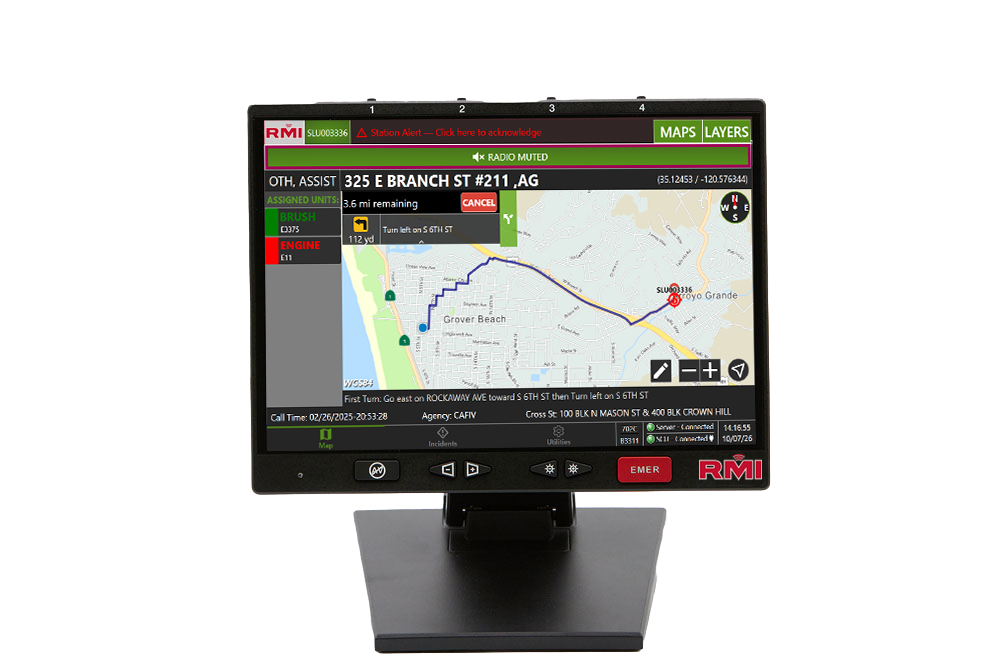
- Maps showing incidents and responding units
- In-station unit status
Remote display functionality can also be extended to large-format monitors, either provided by RMI or supplied by the customer.
Backup Command System
This optional system provides a failsafe for ensuring that dispatches are received in the event of a problem with the primary station control unit. Features include:
- Provides backup capability with limited functionality
- Wireless voice radio with two-tone alert capability
- In-house backup speaker to sound alert tones
- Self-contained backup battery
IQ FSAS Server
This optional, Windows-based server handles data between one or more CADs using IP communications to send properly formatted incident messages to the fire station’s Command Desk Terminal over wired or wireless IP networks. The server also logs information such as location data and reports.
Learn how Deer Springs FPD reduced stress and shortened turnout times with RMI FSA.
Seamless Integration with RMI AVL
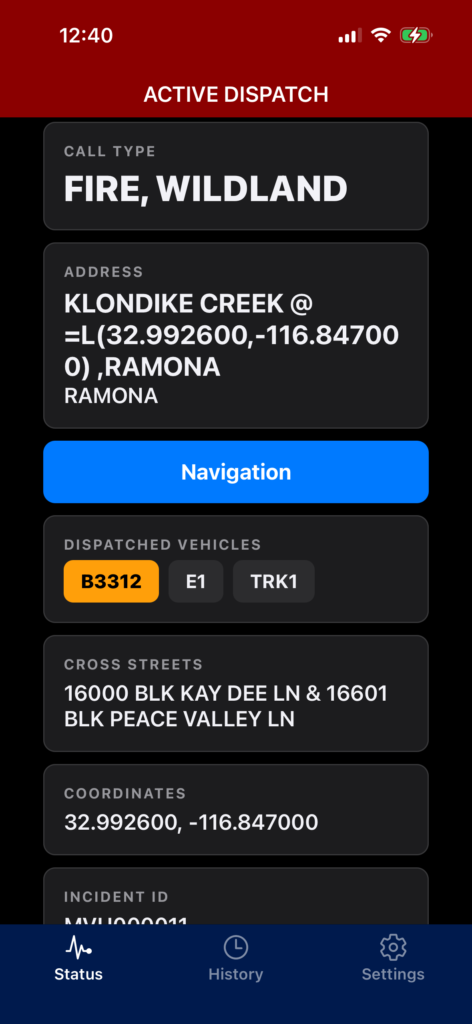
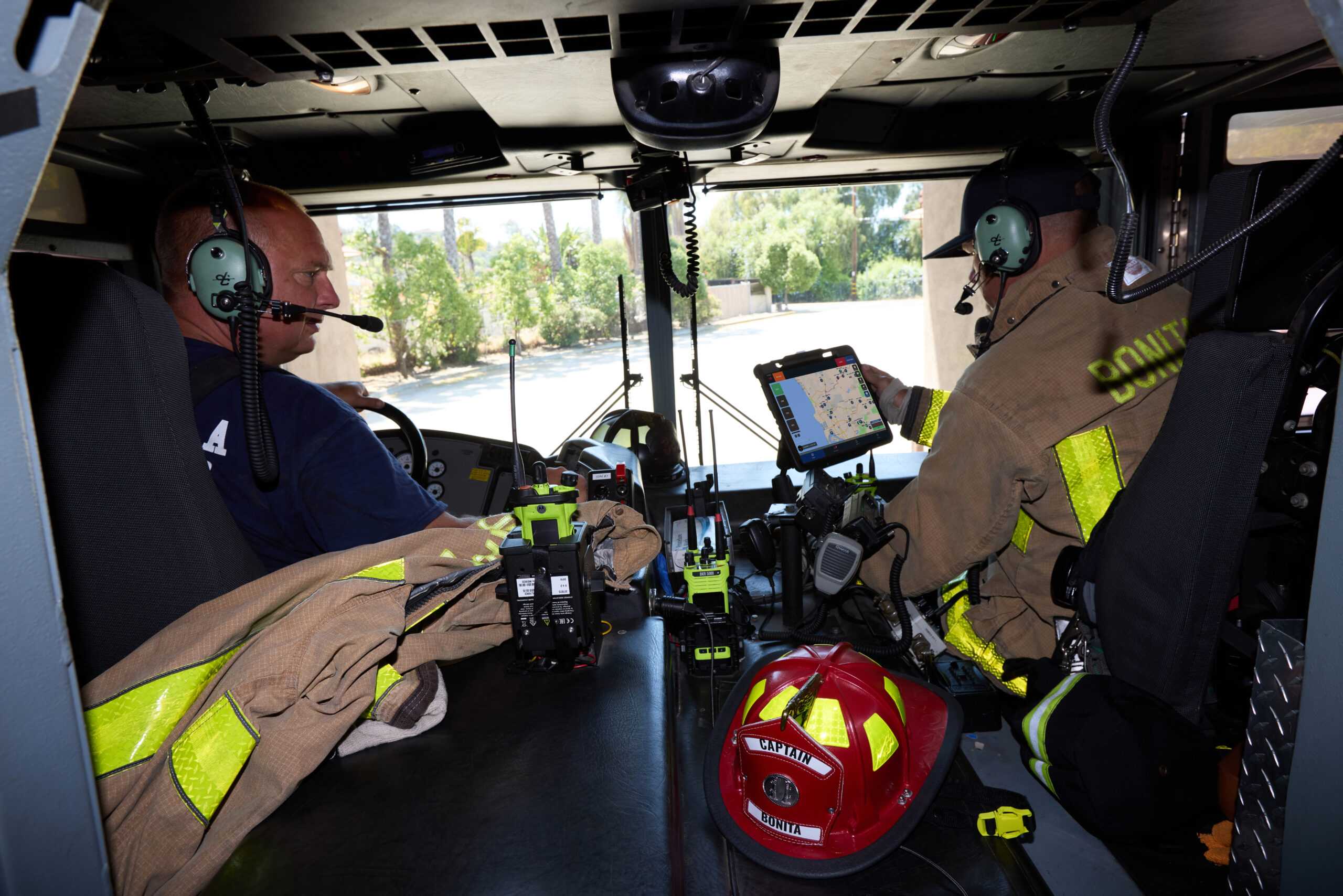
RMI FSA ties directly into RMI AVL, giving chiefs one connected view of alerts, unit status, and live apparatus location. The two systems work as a single operational picture—clean, reliable, and easy for crews to use—so every station and rig stays in sync from dispatch to arrival.
By combining RMI’s FSA and AVL solutions, you get:
One Operational Picture
View alerts, unit status, and live apparatus locations in a single interface.
Real-Time Resource Visibility
Track responding vehicles and available resources as incidents unfold.
Seamless Station-to-Field Coordination
Keep dispatch, stations, and field crews synchronized from callout to arrival.
Faster, More Informed Decisions
Give chiefs and command staff the operational awareness
Frequently Asked Questions
RMI FSA
-
Does RMI FSA integrate with RMI's Mobile Data Computers?
RMI FSA seamlessly integrates with RadioMobile’s ruggedized, in-vehicle mobile data computers, so supervisors and responders know the exact location and status of emergency apparatus and personnel at all times.
-
What is RMI FSA?
RMI FSA is a fully automated, digital fire station alerting system capable of interpreting and converting CAD dispatch data into fire station actions such as alert tones, lights, message displays, dispatch voice, and more.
-
How does RMI FSA improve fire station response times?
RMI FSA helps departments meet critical response requirements by shaving valuable seconds off response times in accordance with local policies and NFPA. It reduces dispatch-processing time by sending digital alert data over a high-speed network and can notify multiple stations simultaneously within seconds.
-
Does RMI FSA integrate with CAD systems?
Yes. RMI FSA directly interfaces with most Computer-Aided Dispatch systems (CAD), allowing for two-way communications and status updates. It also interfaces with multiple CAD systems, CAD vendors, and dispatch centers.
-
How reliable is the RMI FSA fire station alerting system?
RMI FSA uses multiple data communication links so an alert can get through even if one link is down. The system also provides automatic monitoring and notification of system health, multiple levels of system redundancy, and 24 hours of uninterruptible battery power in the event of power loss.
-
Does RMI FSA have backup alerting capabilities?
Yes. RMI FSA provides a 100% independent backup alert option for an additional level of system redundancy. The system can also provide standalone operation for primary or backup dispatching.
-
Can RMI FSA be customized for different fire departments?
Yes. RMI FSA is an end-user programmable system with customizable alerting. Alerts, triggers, actions, sequences, tones, and timers can be configured locally, with unlimited user-defined response sequences.
RMI FSA
-
Can RMI FSA support station zoning and crew identification?
Yes. RMI FSA provides zone control to alert only the crew(s) and/or spaces needed for the call. The system also provides colored indicators to confirm dispatched equipment types, a heart-saver alert tone that precedes all alerts, and a crew room controller that configures the system to the crew occupying that shift.
-
What optional components are available for RMI FSA?
Optional components for RMI FSA include the Rip-N-Run Printer, Turnout Timer, Remote Displays, RMI FSA Server, Backup Command System, Crew Alert Indicator Module, Crew Alert Panel, Zone Selector Panel, and Acknowledgement Button.
-
Does RMI FSA provide turnout time tracking?
Yes. The optional turnout timer provides elapsed time to measure and improve time-out-of-station. It is a digital count-up timer that starts when dispatch or an incident is received and can be set to stop based on normal incident sequence conditions.
-
Does RMI FSA support automated voice announcements?
Yes. RMI FSA provides automated text-to-speech voice announcements with the goal of reducing critical response times. The system also supports user-defined tones and voices and easily scheduled pre-recorded voice announcements.
-
Can RMI FSA integrate with station equipment?
Yes. RMI FSA can integrate with station appliances, bay doors, and other devices during an alert sequence. It can also control station lighting, support high-power audio amplification for station overhead speakers, and drive additional remote display terminals.
-
What station operations features does RMI FSA provide?
RMI FSA provides configurable alert sequences, clear incident information, integrated station equipment, and turnout time tracking. Alerts, triggers, actions, sequences, tones, and timers can be configured locally, while incident details can be displayed and spoken throughout the station.
-
Can RMI FSA alert only the crews that need to respond?
Yes. Zone control alerts only the crew(s) and/or spaces needed for the call. Tones, voice messages, and colored lighting can identify the exact emergency apparatus and personnel who need to respond.
-
How does RMI FSA provide communication reliability?
RMI FSA uses redundant communication links, independent backup alerting, automatic system monitoring, and 24-hour UPS backup to help maintain station alerting during communication or power disruptions. The system continuously monitors and records system status and provides warnings on equipment concerns.
RMI FSA
-
Does RMI FSA integrate with RMI's Mobile Data Computers?
RMI FSA seamlessly integrates with RadioMobile’s ruggedized, in-vehicle mobile data computers, so supervisors and responders know the exact location and status of emergency apparatus and personnel at all times.
-
What is RMI FSA?
RMI FSA is a fully automated, digital fire station alerting system capable of interpreting and converting CAD dispatch data into fire station actions such as alert tones, lights, message displays, dispatch voice, and more.
-
How does RMI FSA improve fire station response times?
RMI FSA helps departments meet critical response requirements by shaving valuable seconds off response times in accordance with local policies and NFPA. It reduces dispatch-processing time by sending digital alert data over a high-speed network and can notify multiple stations simultaneously within seconds.
-
Does RMI FSA integrate with CAD systems?
Yes. RMI FSA directly interfaces with most Computer-Aided Dispatch systems (CAD), allowing for two-way communications and status updates. It also interfaces with multiple CAD systems, CAD vendors, and dispatch centers.
-
How reliable is the RMI FSA fire station alerting system?
RMI FSA uses multiple data communication links so an alert can get through even if one link is down. The system also provides automatic monitoring and notification of system health, multiple levels of system redundancy, and 24 hours of uninterruptible battery power in the event of power loss.
-
Does RMI FSA have backup alerting capabilities?
Yes. RMI FSA provides a 100% independent backup alert option for an additional level of system redundancy. The system can also provide standalone operation for primary or backup dispatching.
-
Can RMI FSA be customized for different fire departments?
Yes. RMI FSA is an end-user programmable system with customizable alerting. Alerts, triggers, actions, sequences, tones, and timers can be configured locally, with unlimited user-defined response sequences.
-
What are the main dispatch operations features of RMI FSA?
RMI FSA provides fast, automated dispatch, multi-station alerting, automated voice announcements, CAD integration, dispatch backup, alert confirmation, and event logging. It can send digital alert data over a high-speed network, notify multiple stations simultaneously, and automatically log and time stamp system events, alarms, and dispatch operator actions.
-
How does RMI FSA provide communication reliability?
RMI FSA uses redundant communication links, independent backup alerting, automatic system monitoring, and 24-hour UPS backup to help maintain station alerting during communication or power disruptions. The system continuously monitors and records system status and provides warnings on equipment concerns.
-
Can RMI FSA alert only the crews that need to respond?
Yes. Zone control alerts only the crew(s) and/or spaces needed for the call. Tones, voice messages, and colored lighting can identify the exact emergency apparatus and personnel who need to respond.
-
What station operations features does RMI FSA provide?
RMI FSA provides configurable alert sequences, clear incident information, integrated station equipment, and turnout time tracking. Alerts, triggers, actions, sequences, tones, and timers can be configured locally, while incident details can be displayed and spoken throughout the station.
-
Can RMI FSA integrate with station equipment?
Yes. RMI FSA can integrate with station appliances, bay doors, and other devices during an alert sequence. It can also control station lighting, support high-power audio amplification for station overhead speakers, and drive additional remote display terminals.
-
Does RMI FSA support automated voice announcements?
Yes. RMI FSA provides automated text-to-speech voice announcements with the goal of reducing critical response times. The system also supports user-defined tones and voices and easily scheduled pre-recorded voice announcements.
-
Does RMI FSA provide turnout time tracking?
Yes. The optional turnout timer provides elapsed time to measure and improve time-out-of-station. It is a digital count-up timer that starts when dispatch or an incident is received and can be set to stop based on normal incident sequence conditions.
-
What optional components are available for RMI FSA?
Optional components for RMI FSA include the Rip-N-Run Printer, Turnout Timer, Remote Displays, RMI FSA Server, Backup Command System, Crew Alert Indicator Module, Crew Alert Panel, Zone Selector Panel, and Acknowledgement Button.
-
Can RMI FSA support station zoning and crew identification?
Yes. RMI FSA provides zone control to alert only the crew(s) and/or spaces needed for the call. The system also provides colored indicators to confirm dispatched equipment types, a heart-saver alert tone that precedes all alerts, and a crew room controller that configures the system to the crew occupying that shift.